
What do you wear?

Life is to short. What do yours say?
TheShortsMagazine.com
Life is to short. What do yours say?
TheShortsMagazine.com
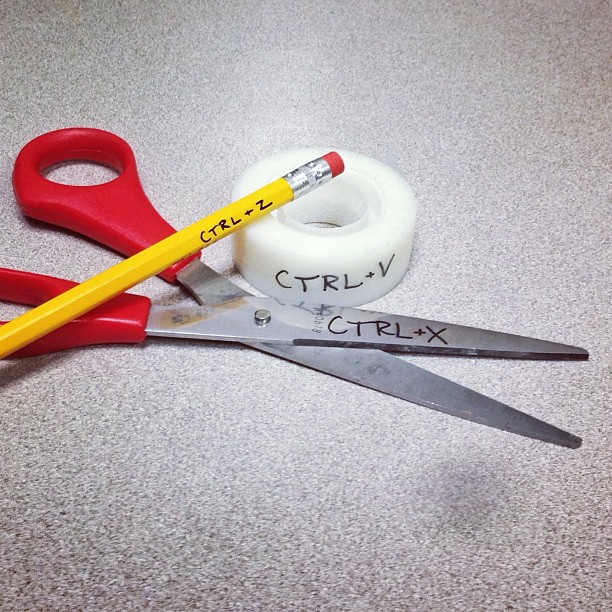
The first thing you have to do is place your cursor at the beginning of where you want to cut, press and hold the left mouse button. Drag it until all the text you want to copy is high-lighted. Next; release the mouse button and press Ctrl and X at the same time. Open the window you want to copy too, (e.i. notepad) the press Ctrl and V. To erase simply highlight the desired text the press Ctrl and Z at the same time.
No, really.
Open notepad and highlight, Ctrl+x then open a Google Drive folder and press Ctrl+v
Bam, text copied, next.

Recently, I have been using this very neat little app called Simple. Thus far, it has held up to its name. It’s a very easy to use budgeting app for both your computer and phone (or tablet) and is available on both iTunes Store and Google Play.
What makes it so awesome is the type of budgeting it uses called Goals. You can set a goal for anything. Auntie Mae’s birthday, the water bill, Christmas, whatever, then set how much money you need for it and when you need it by. Each day Simple pulls a small amount of money from your account and places it in a savings for that Goal and tells you exactly what is safe to spend day to day in a running total.

It’s also amazingly secure. Locked by a pin number and sign in on your phone and you can even block and unblock your card with a few simple swipes.
The only down side to all of this right now is that their service is in beta. Fortunately, we have 10 invites to give out to this awesome service. If you’re hesitant to switch to a new bank sight unseen, have no fear, you can add external accounts and still enjoy all of the features of Simple.
If you’d like to check it you, let us know in the comments below and we’ll get the first ten an invitation.
This is not in any way shape or form a sponsored post. I genuinely like this thing enough to talk about it.
 RevJamesBJones